parent · Attendance
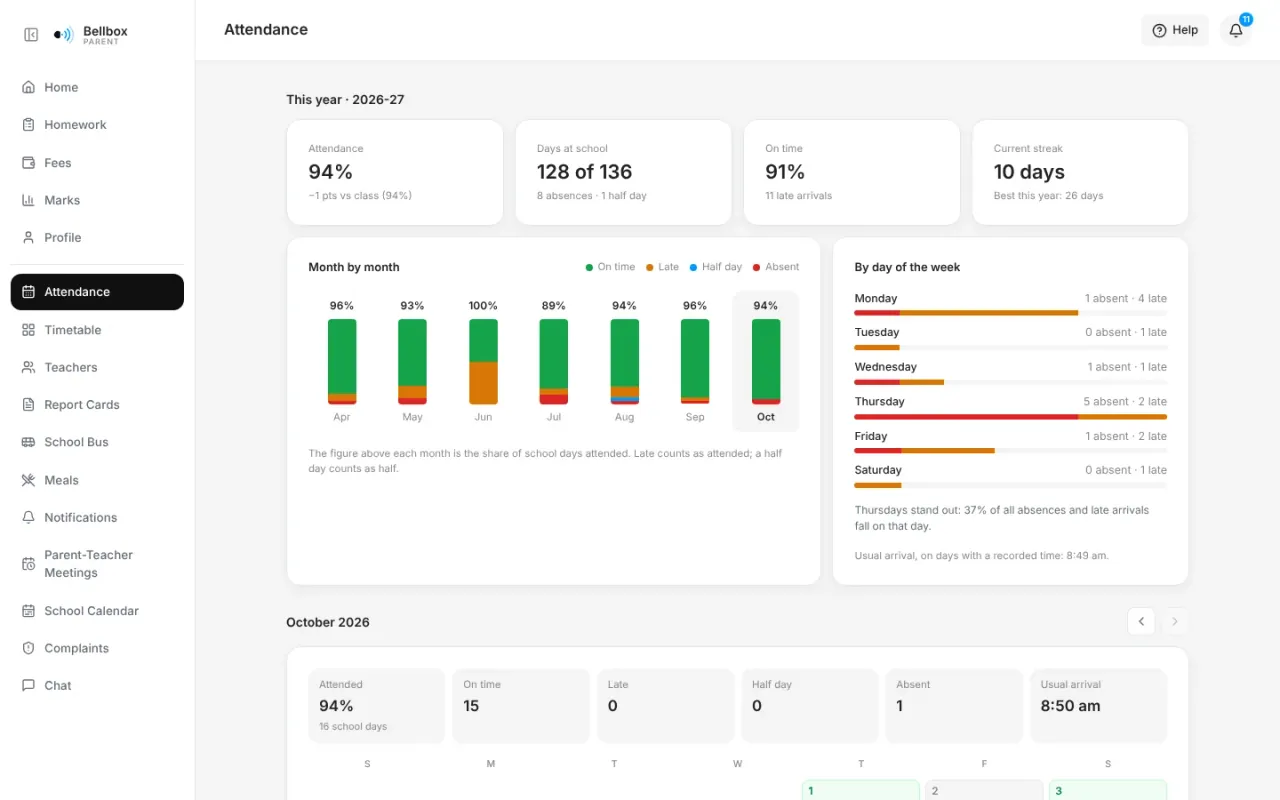
01 · Attendance
Attendance a parent can read.
Teachers take the register in the app. Parents see each month, which weekdays have the most absences, late arrivals and the current streak.
Product highlights
16 highlights across the school, on real screens from a demo school. Pick one, or scroll through them all.
The teaching year, from the timetable to the report card.
01 · Attendance
Teachers take the register in the app. Parents see each month, which weekdays have the most absences, late arrivals and the current streak.
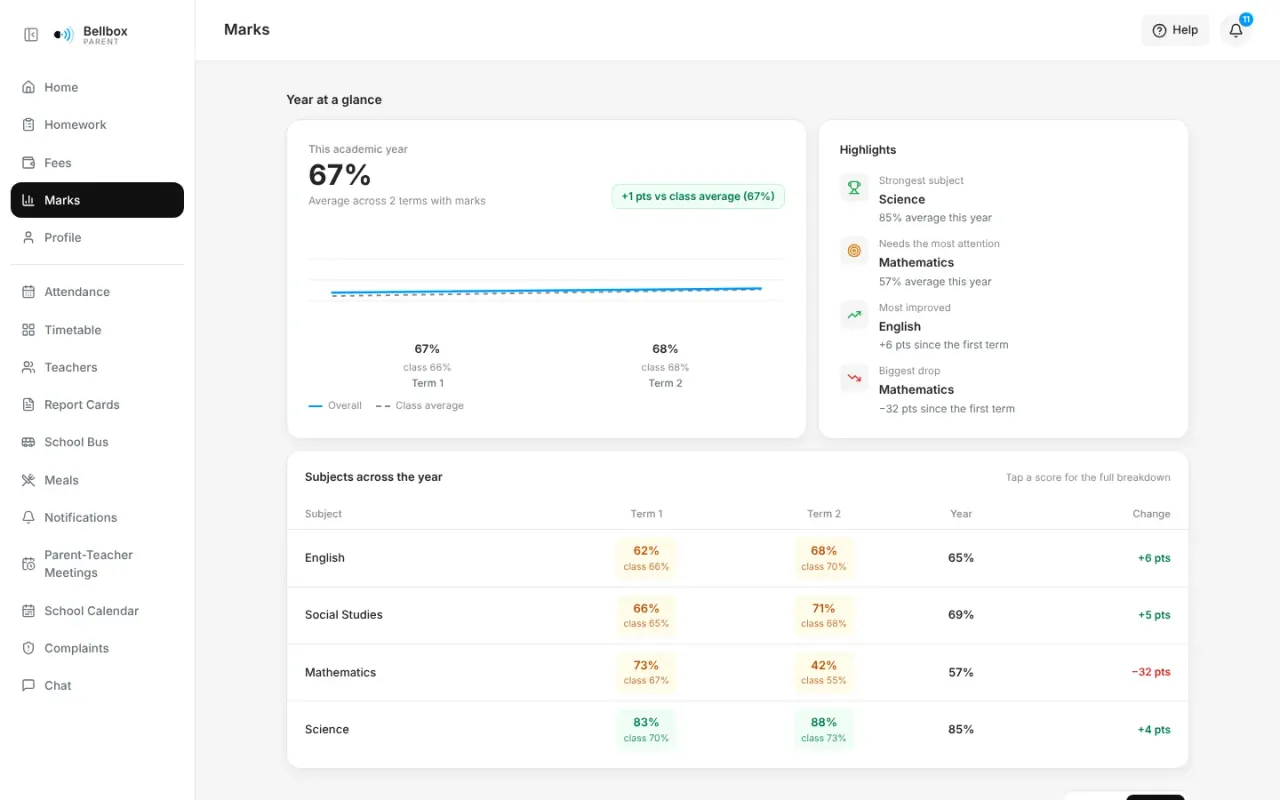
02 · Marks
Term by term and subject by subject, with strengths and what needs attention, and every test reviewed question by question against the answer key.
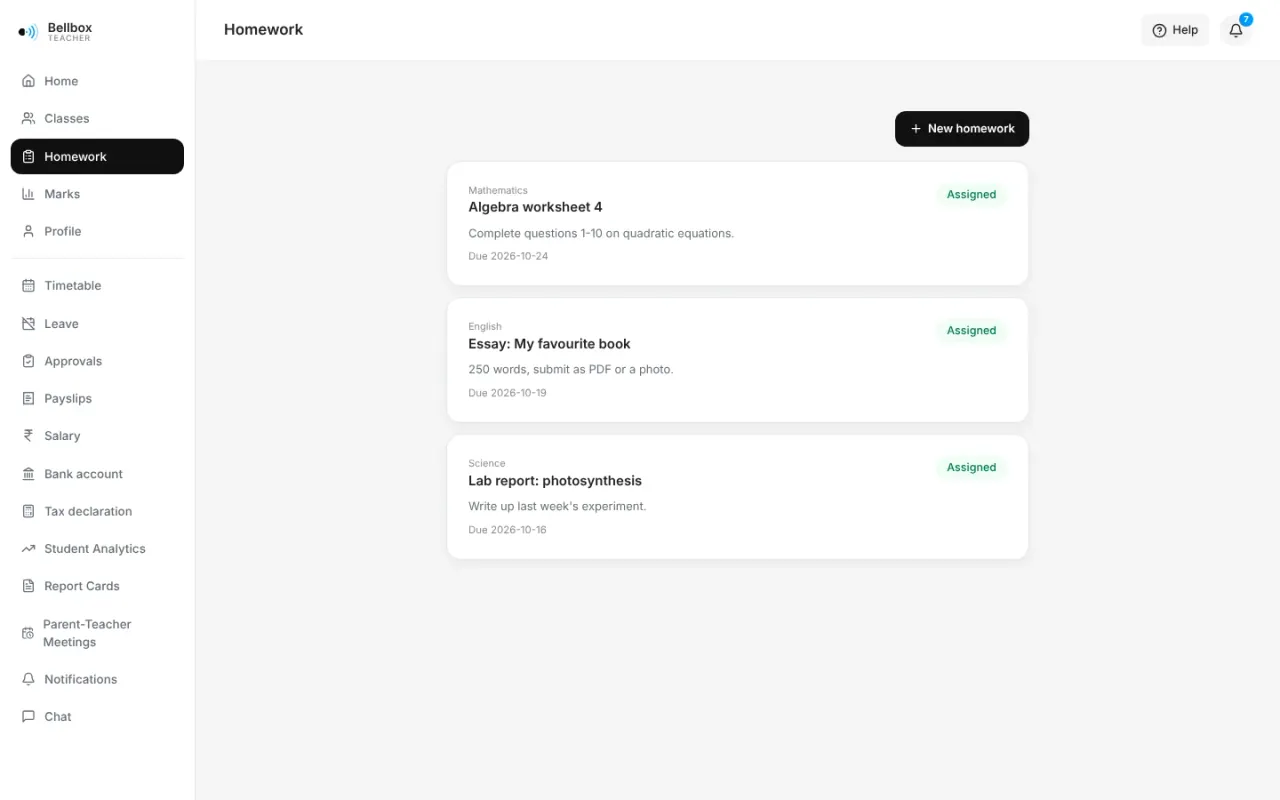
03 · Homework
Assign questions and attachments. Students answer from web or phone and attach their work; teachers grade, comment and publish.
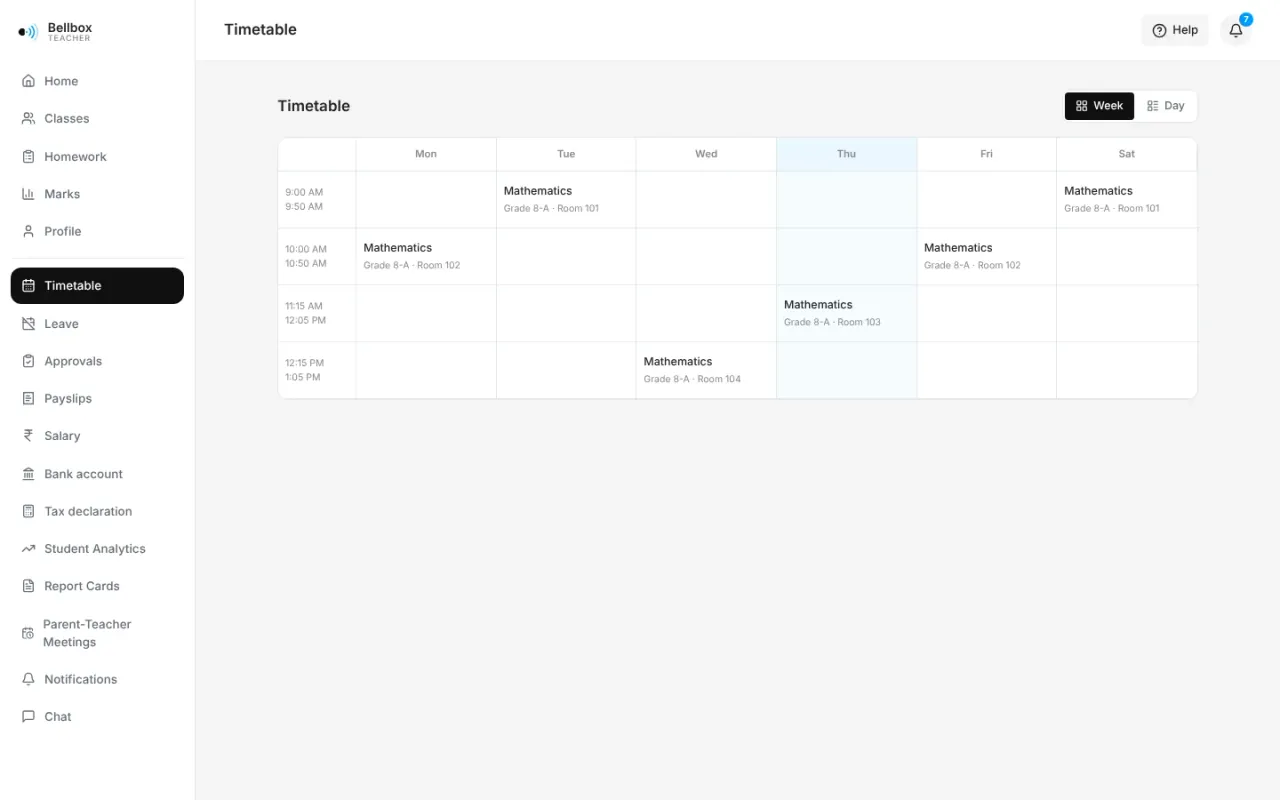
04 · Timetable
Build it once per class. Teachers see their week, students see their day, and both see the room.
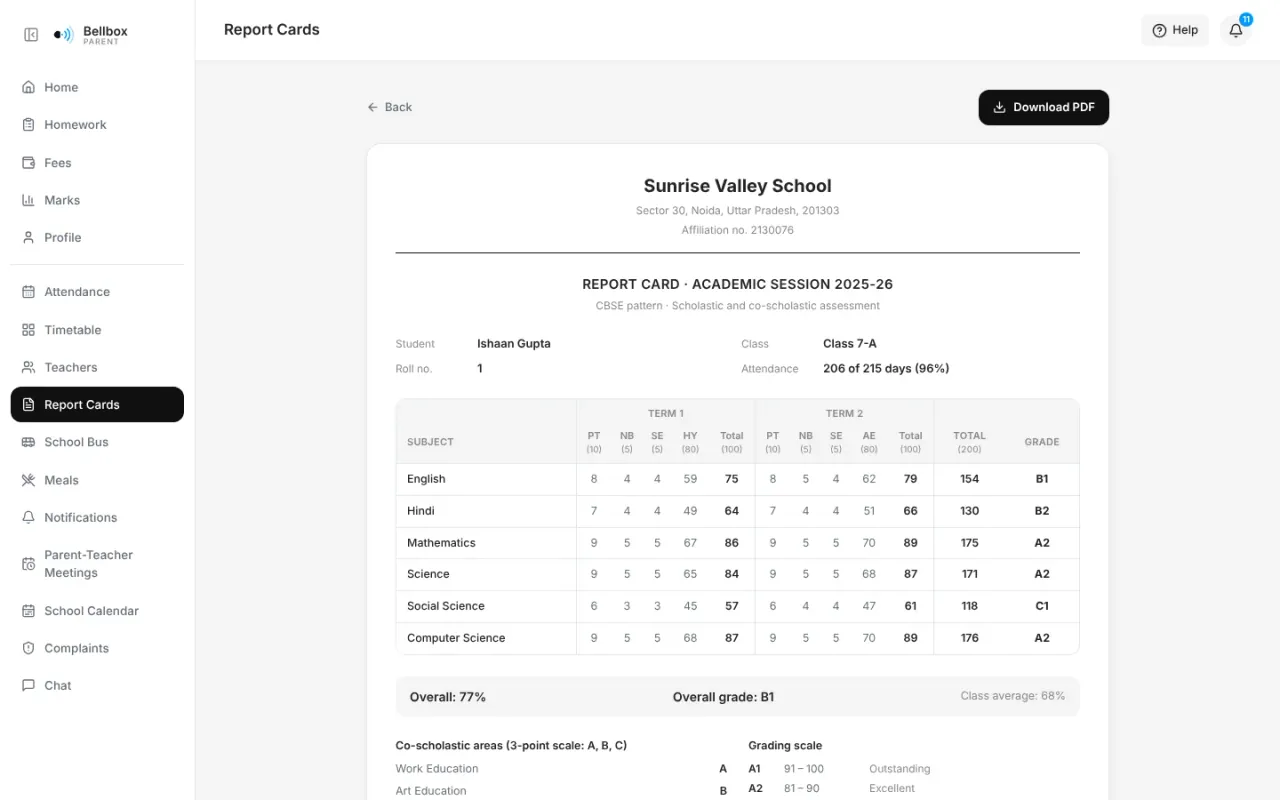
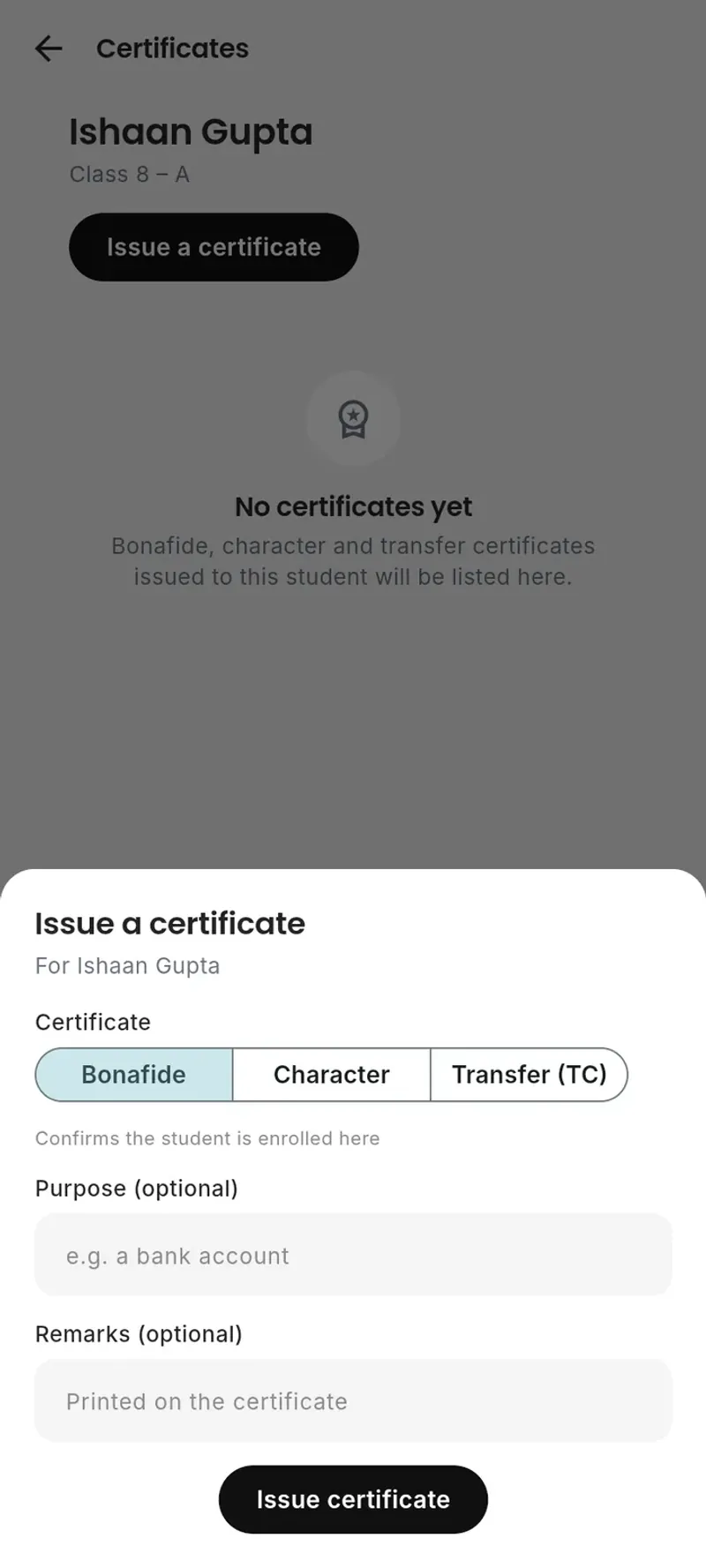
05 · Report cards & certificates
Parents see year-end cards in CBSE, ICSE, IB, Cambridge and state-board layouts, download the PDF and ask about it in the comments. For ICSE and state-board classes, Bellbox drafts each card from the year’s marks and attendance. Bonafide, character and transfer certificates each get their own serial number.
Everyone the school employs, joining to leaving.
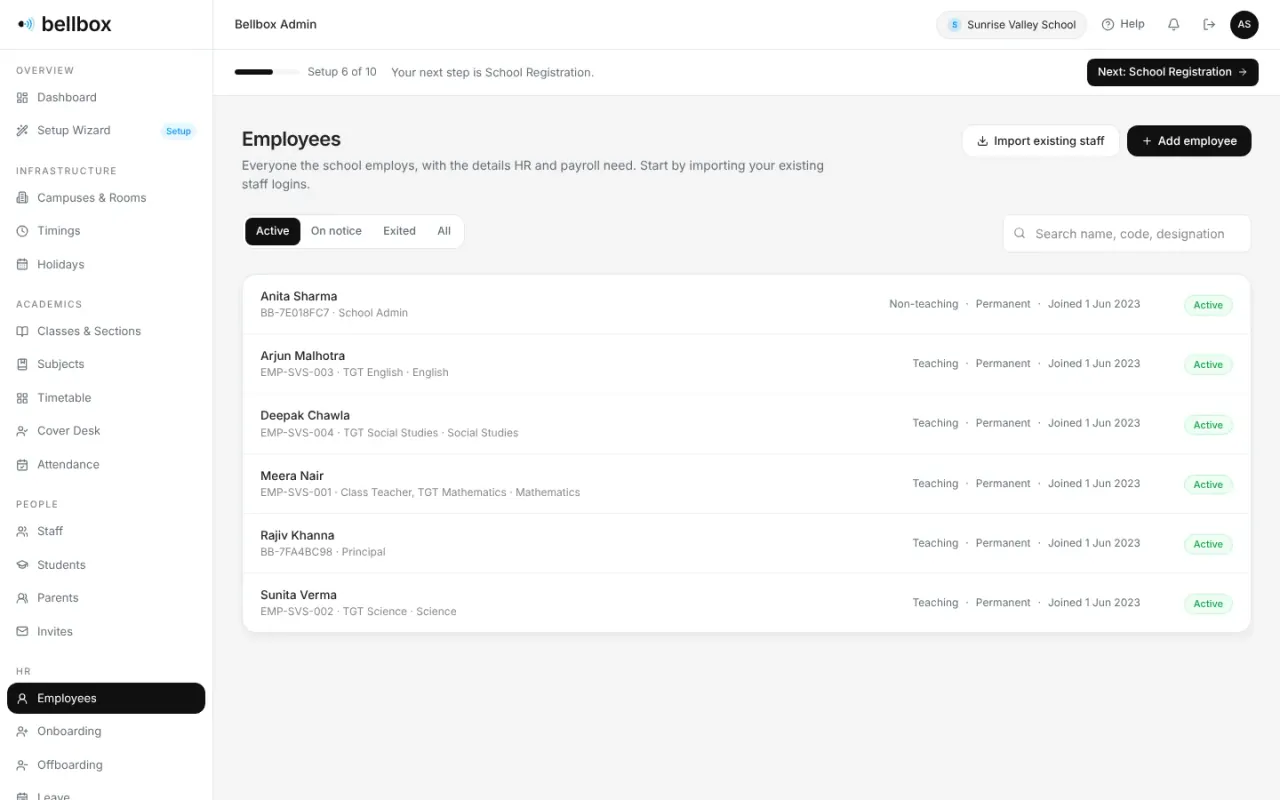
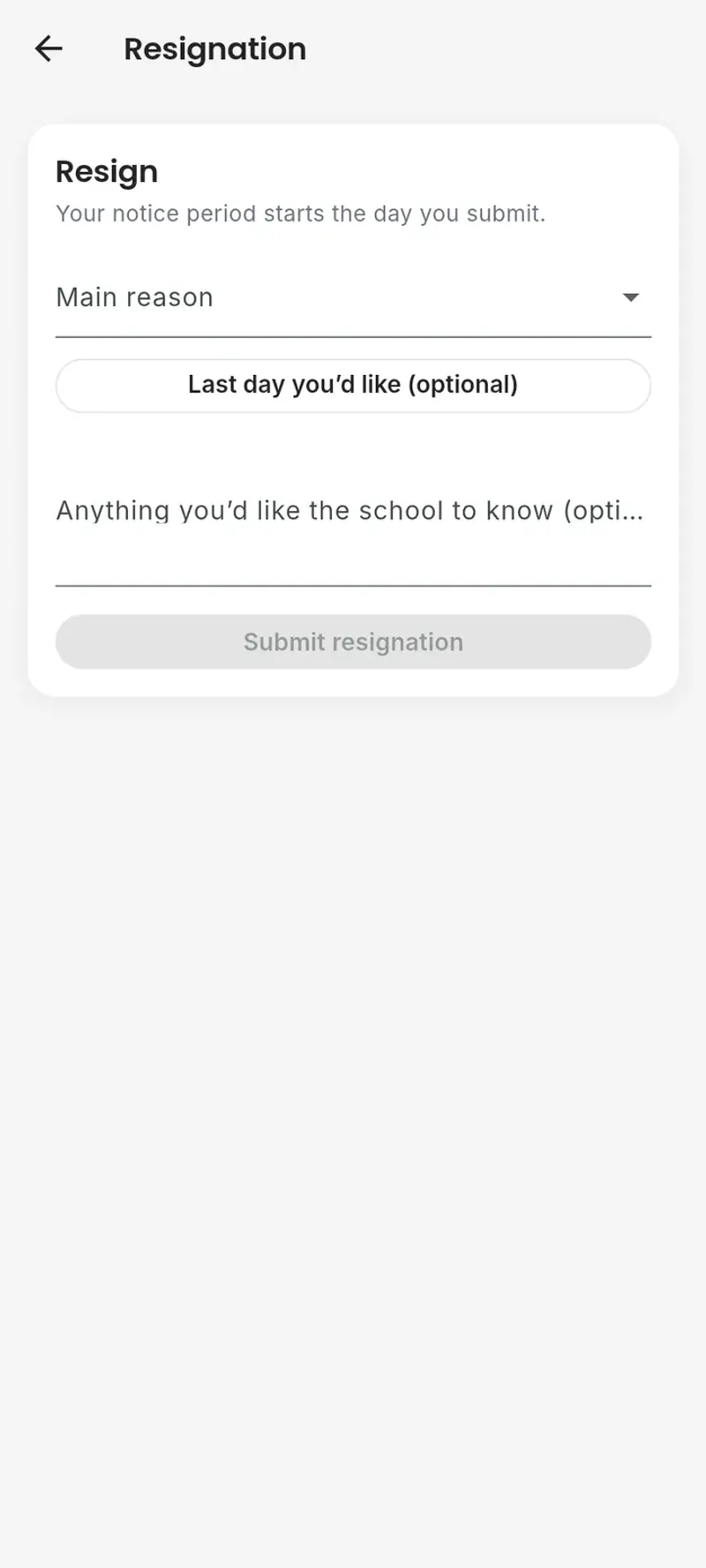
06 · HR
One record per employee with what HR and payroll need. New hires fill in their own joining checklist. Resignations come from the staff app and move through notice, clearance, the exit interview and the Full & Final settlement.
07 · Leave & cover
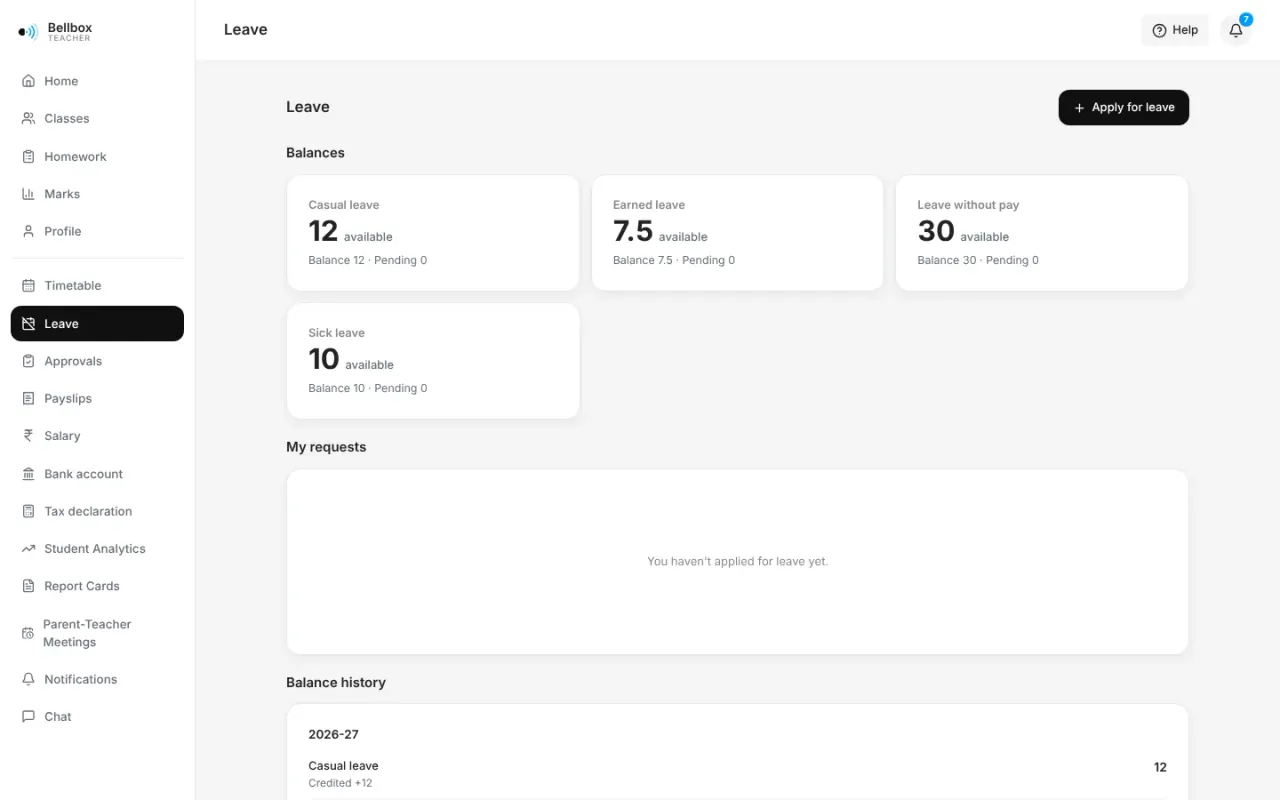
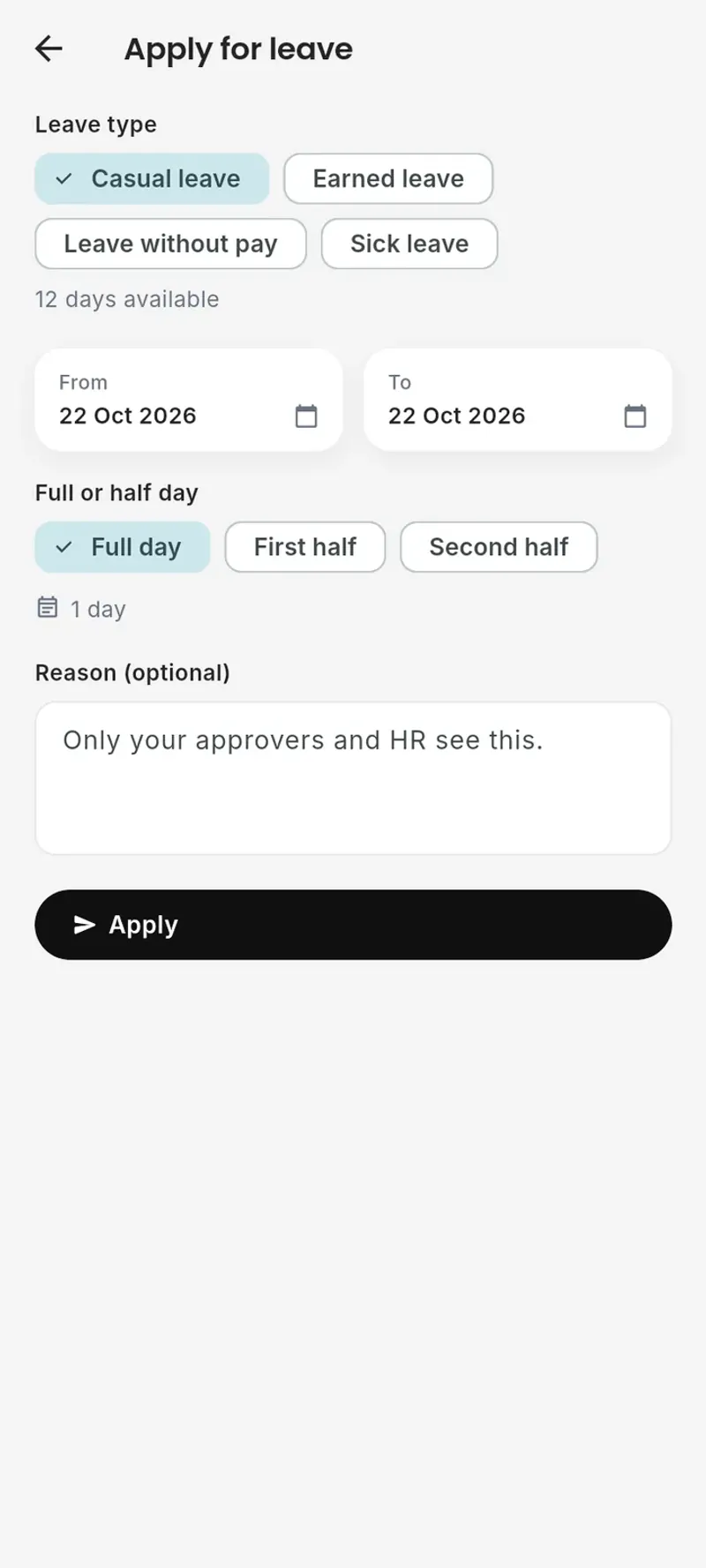
Staff apply from their phone, half days included, and Bellbox counts the days under your policy. Once leave is approved, the teacher’s periods appear on the Cover Desk to hand to a free teacher, and everyone’s timetable shows the change.
Fees in, salaries out, and a record of both.
08 · Fees
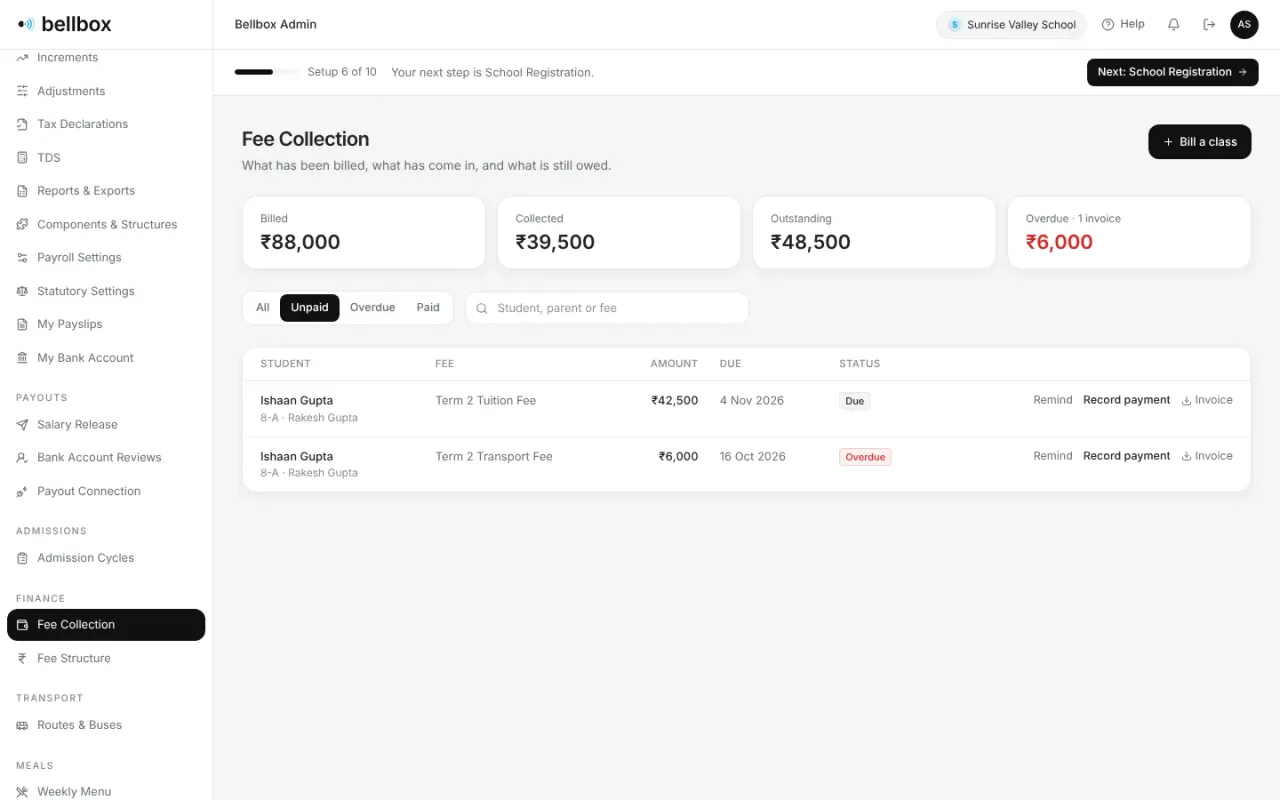
The office sees every fee head and who still owes it. Record a payment at the counter, send a reminder, download the invoice.
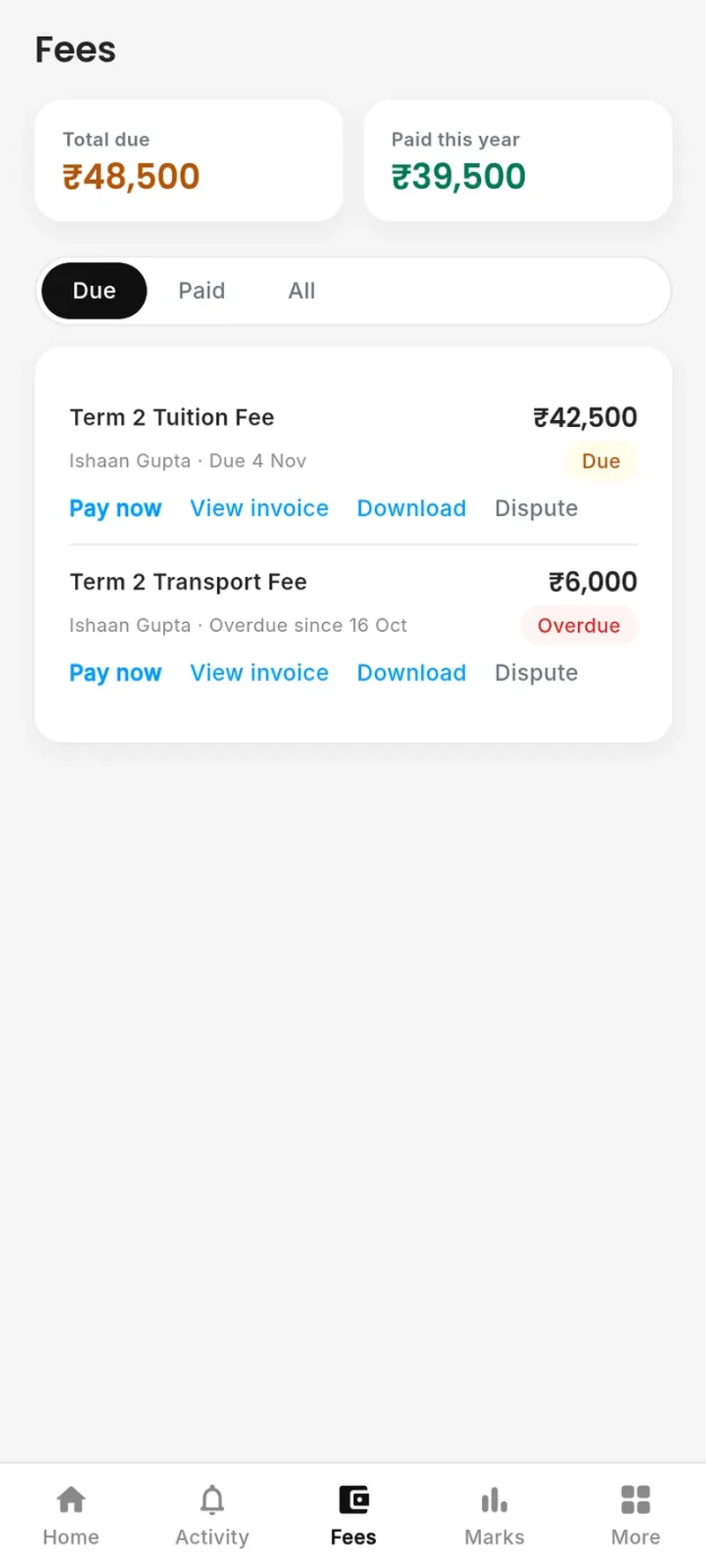
09 · Online payments
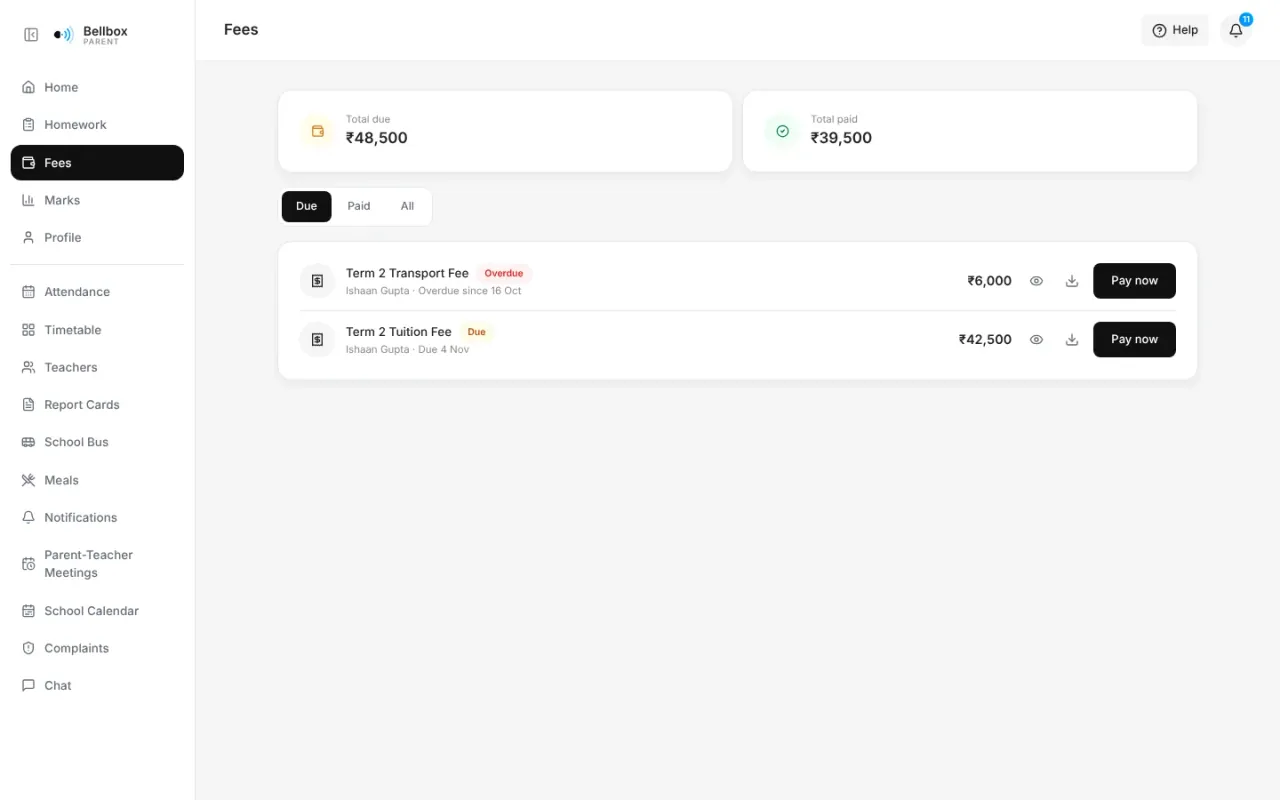
What is due, what is overdue and what was paid, with Razorpay checkout, invoices and receipts.
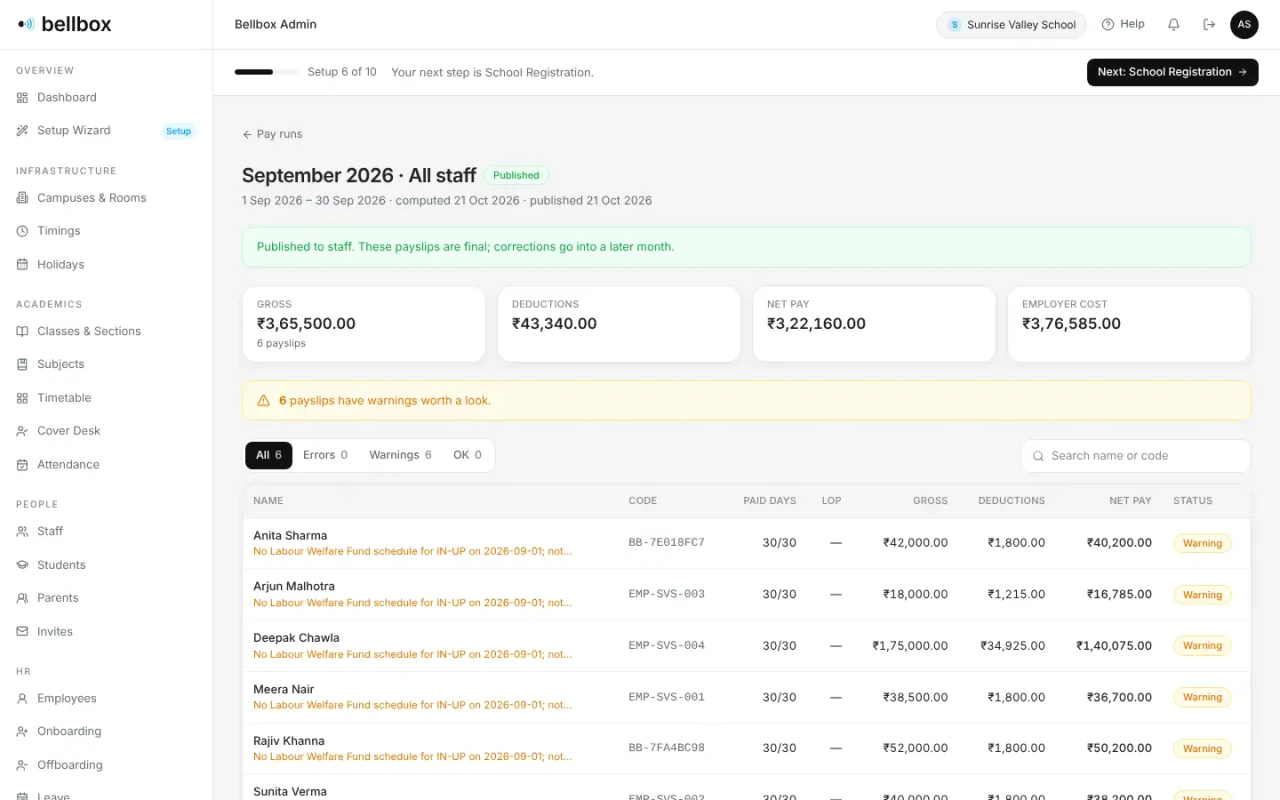
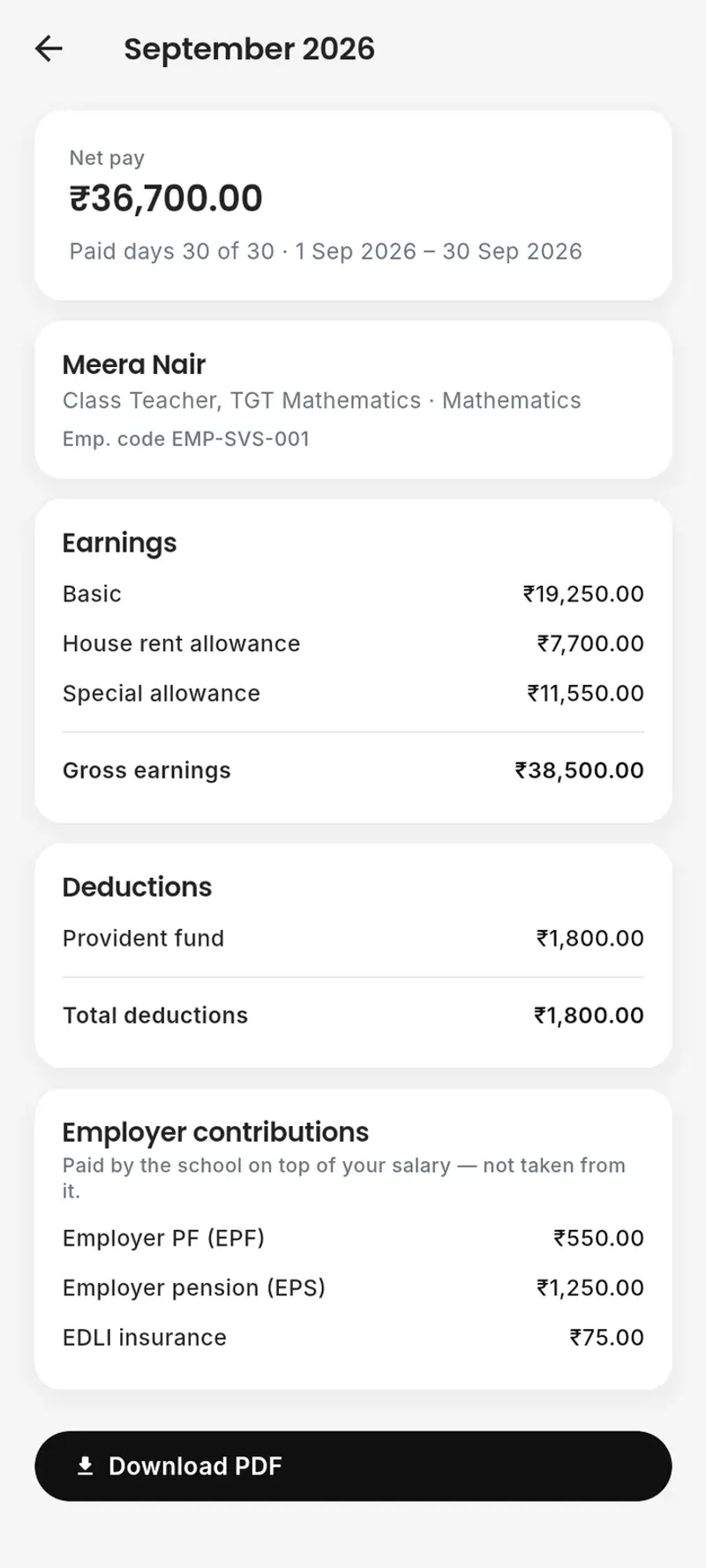
10 · Payroll
A pay run works out every payslip from approved salaries, the month’s attendance and leave. It goes through your approval flow, then every teacher and staff member finds their payslip and its PDF on their phone.
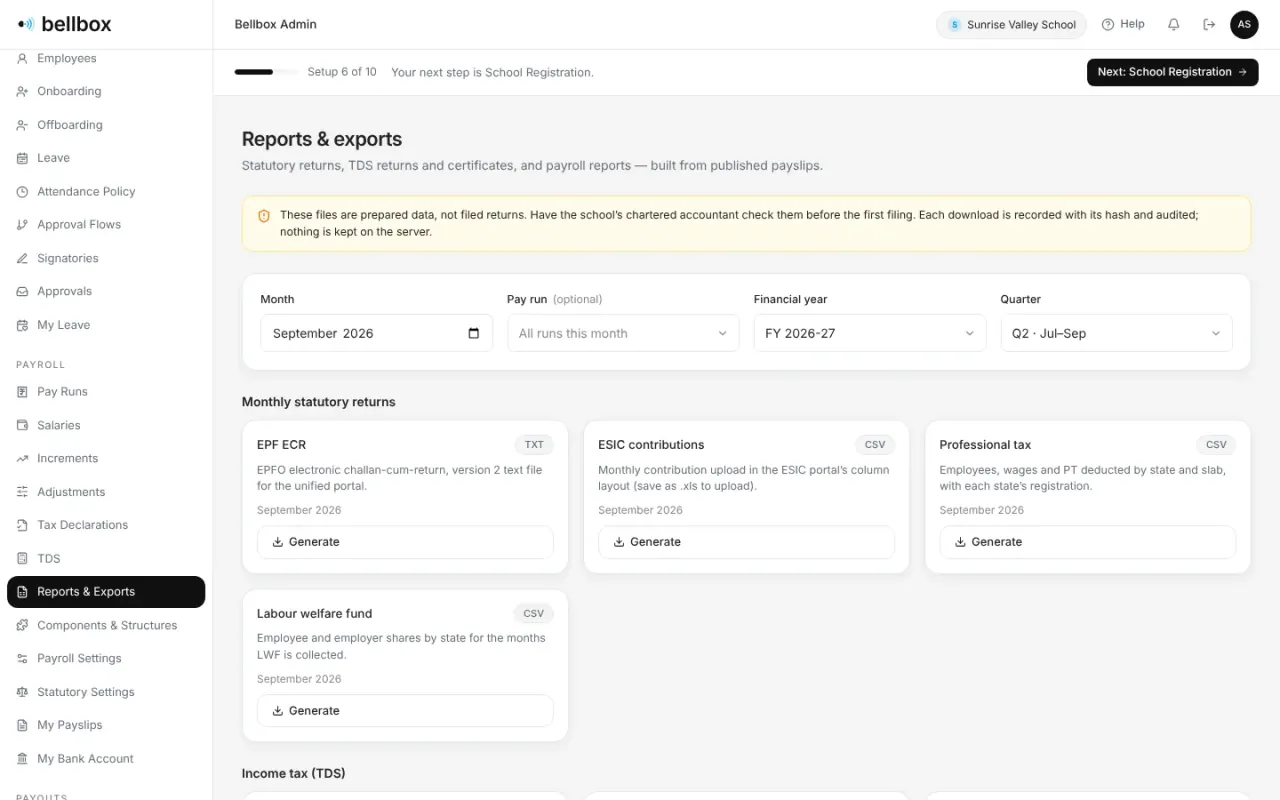
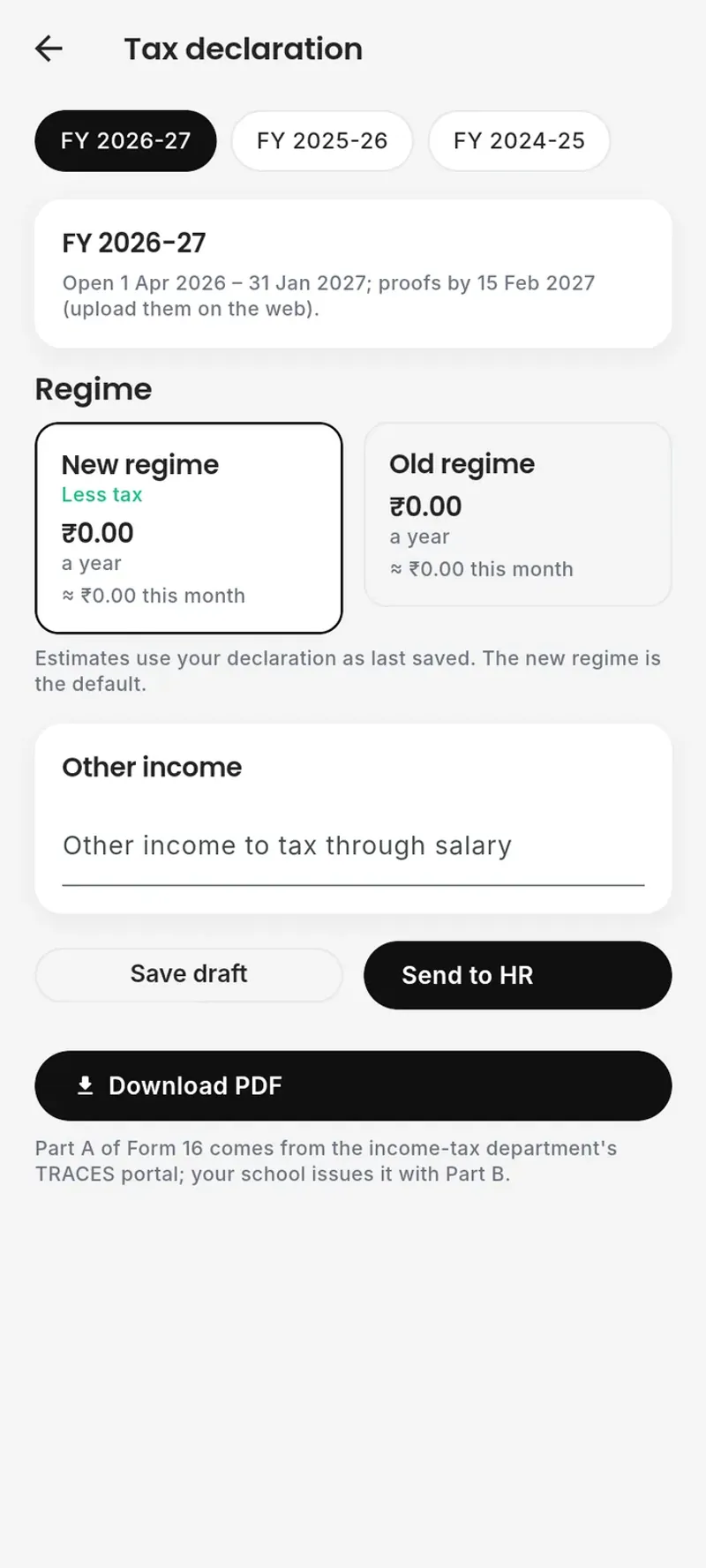
11 · Statutory & TDS
PF, ESI, professional tax, labour welfare fund and TDS under both tax regimes. Download EPF ECR, ESIC, PT, Form 24Q data and Form 16 Part B, prepared for your chartered accountant to check before filing.
Admissions, the school bus, the kitchen and the office.
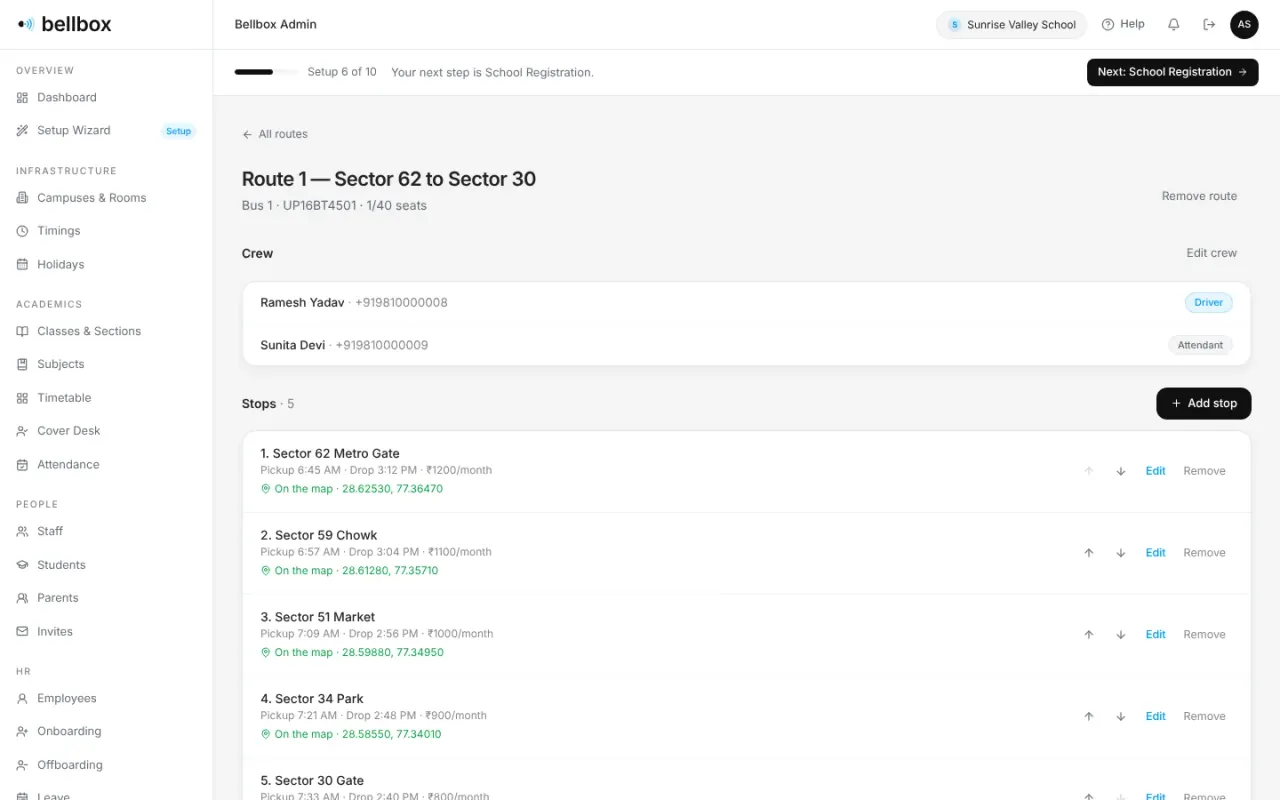
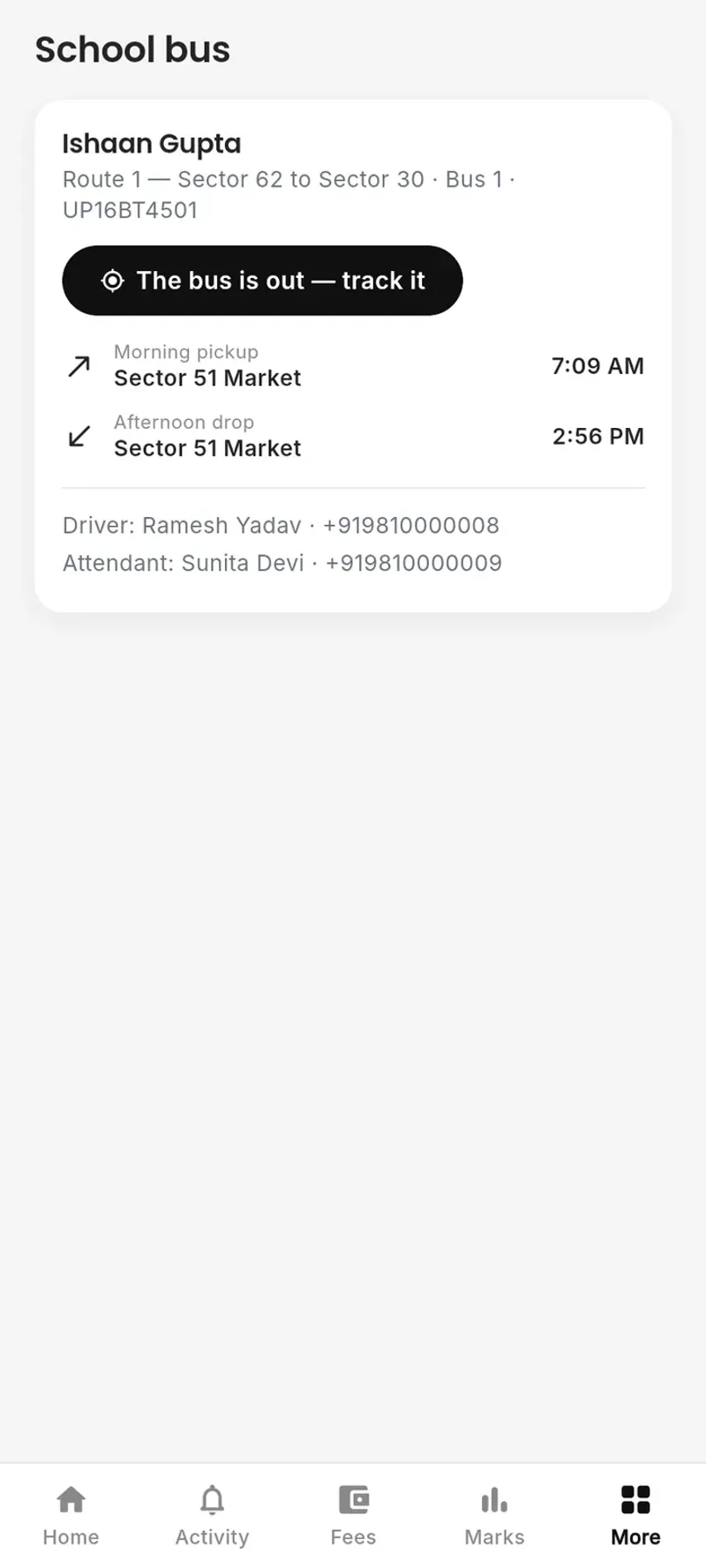
12 · Transport
Routes, stops, times and crew in one place. While the crew’s trip screen is open, parents see the bus and how far it is from their stop. The crew marks each child on and off, and parents get an alert in the app.
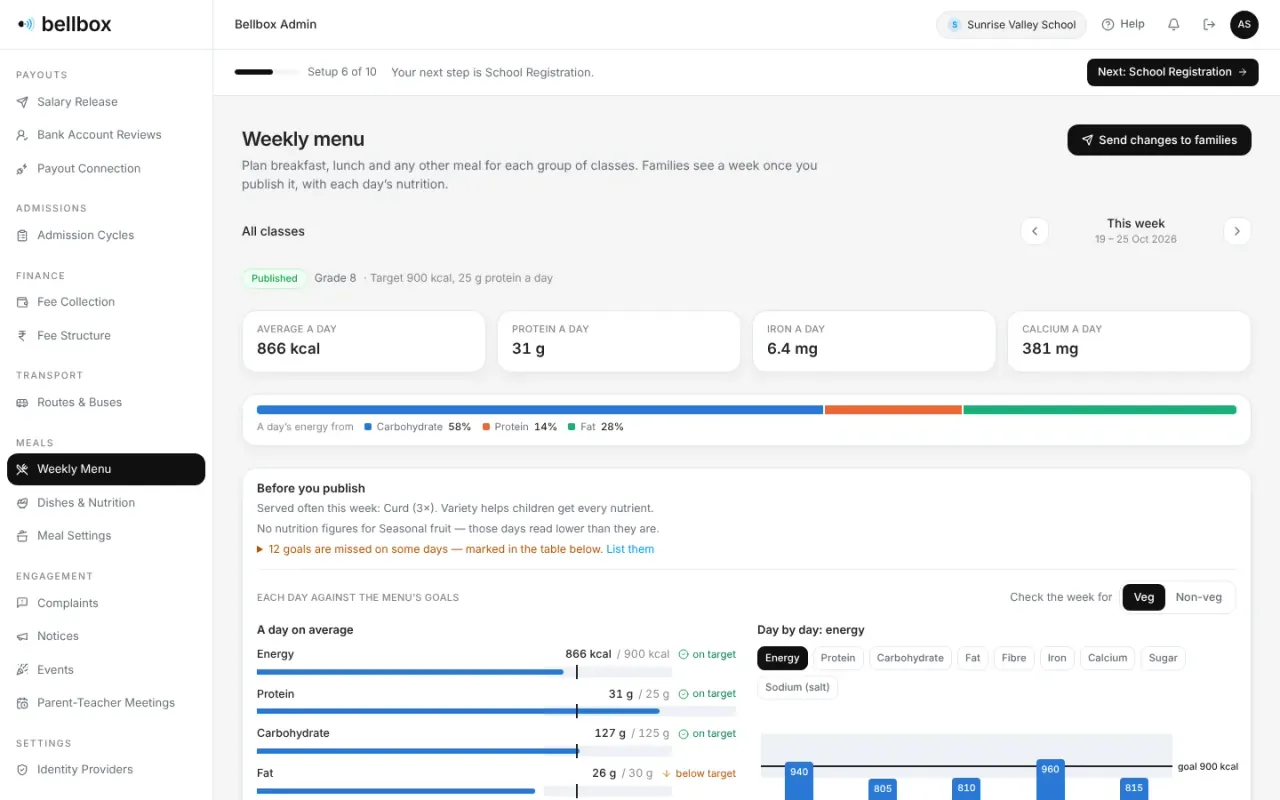
13 · Meals
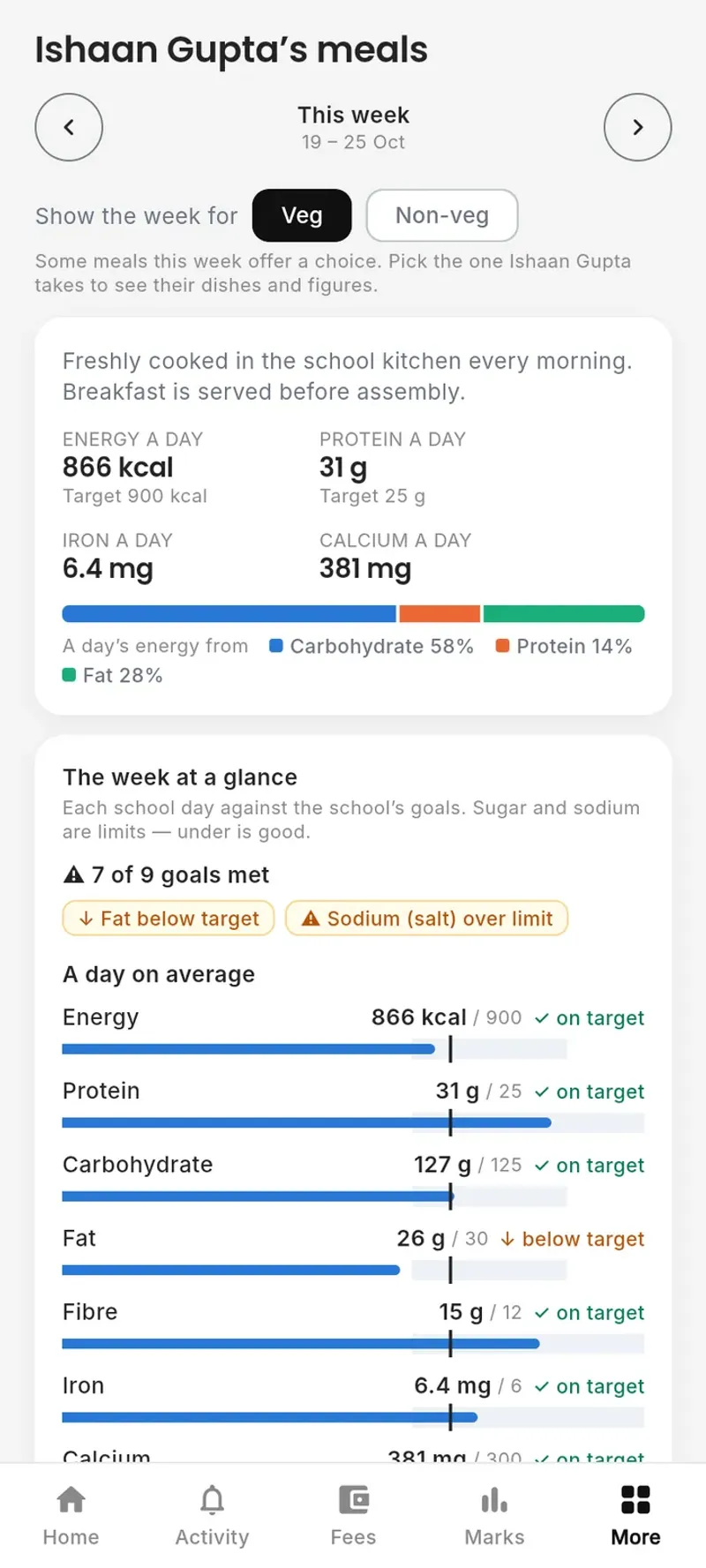
Plan each week from a dish library with nutrition per serving. Every day is checked against the menu’s goals before you publish, and families see the week with its veg, non-veg and Jain options.
Families informed, heard and answered.
14 · Complaints
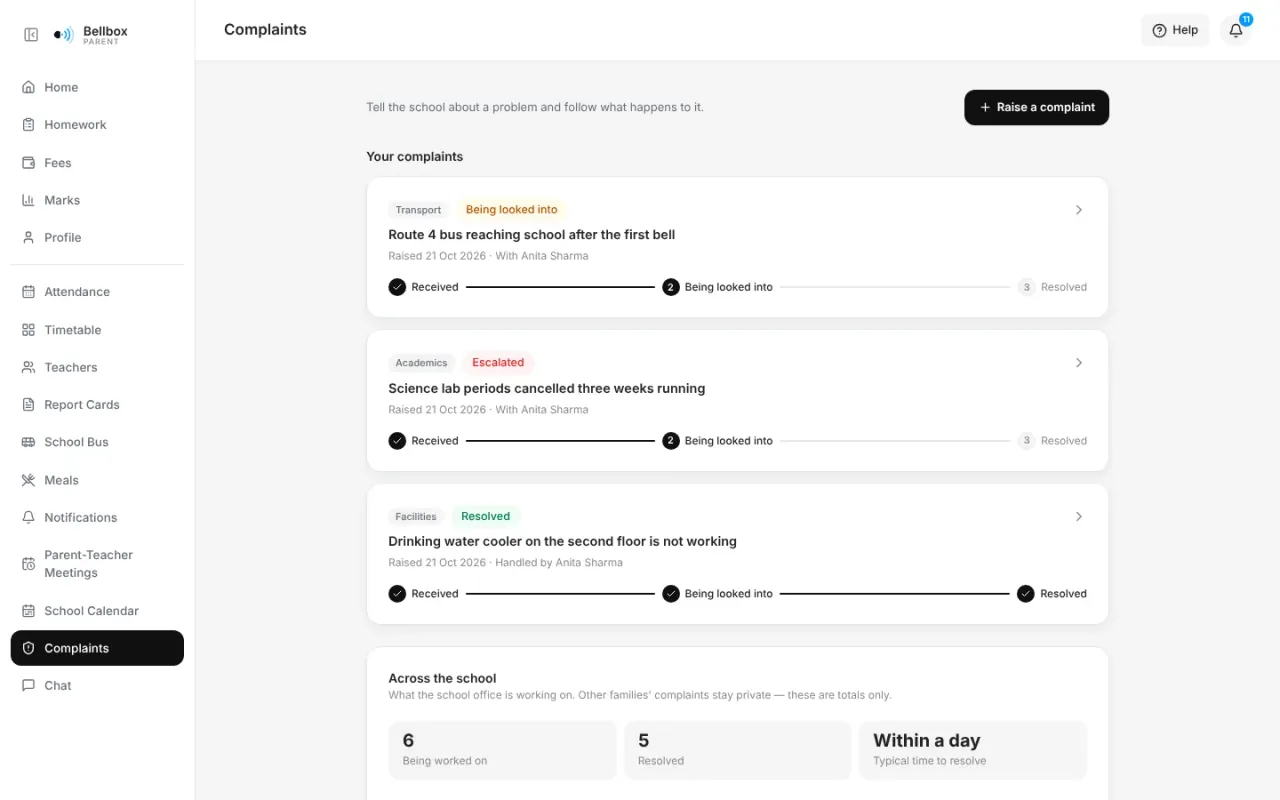
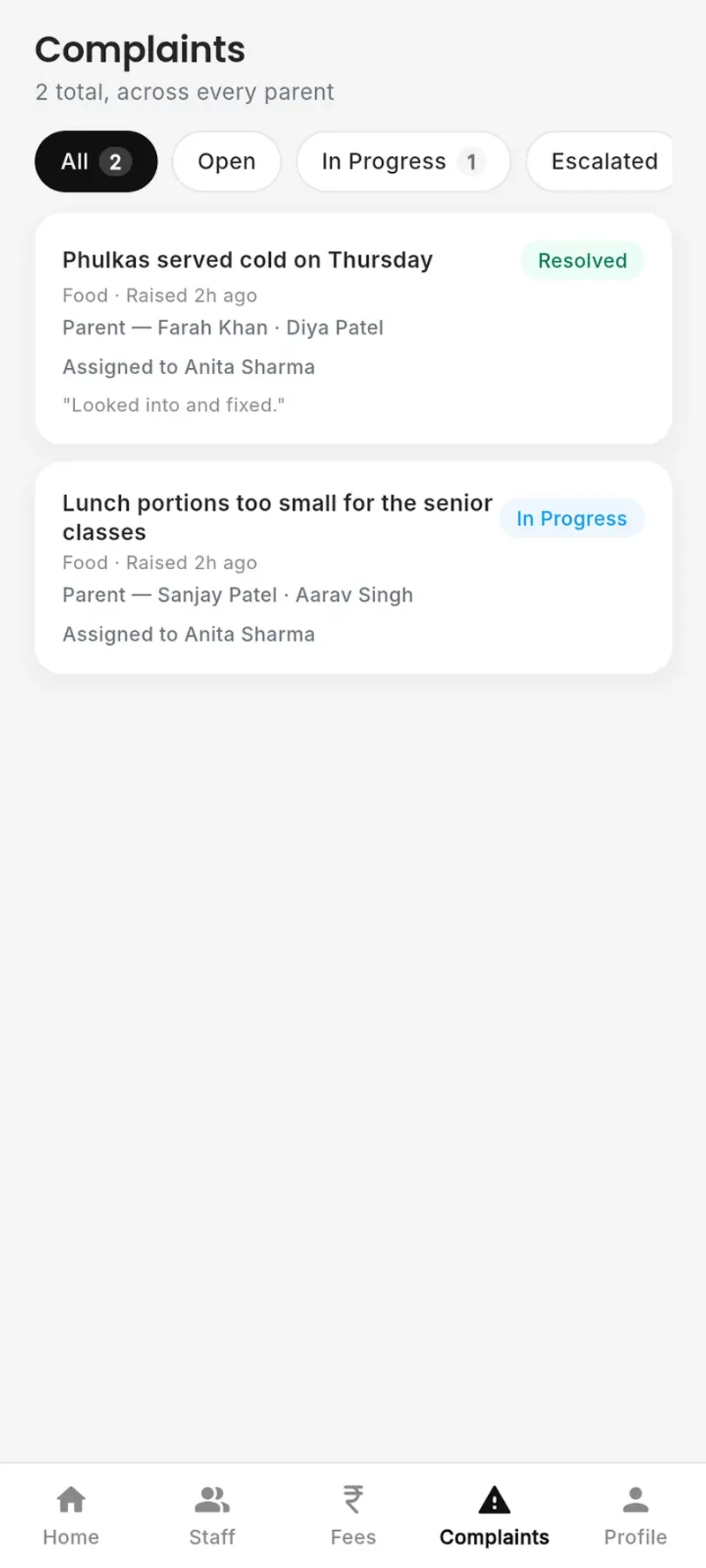
Every complaint moves from received to being looked into to resolved, and the parent sees each step, each reply and who has it. Staff escalate what needs someone senior, and the escalation is logged; a parent can reopen what isn’t fixed. Food complaints that name a meal go straight to the meal in-charge.
15 · Notices
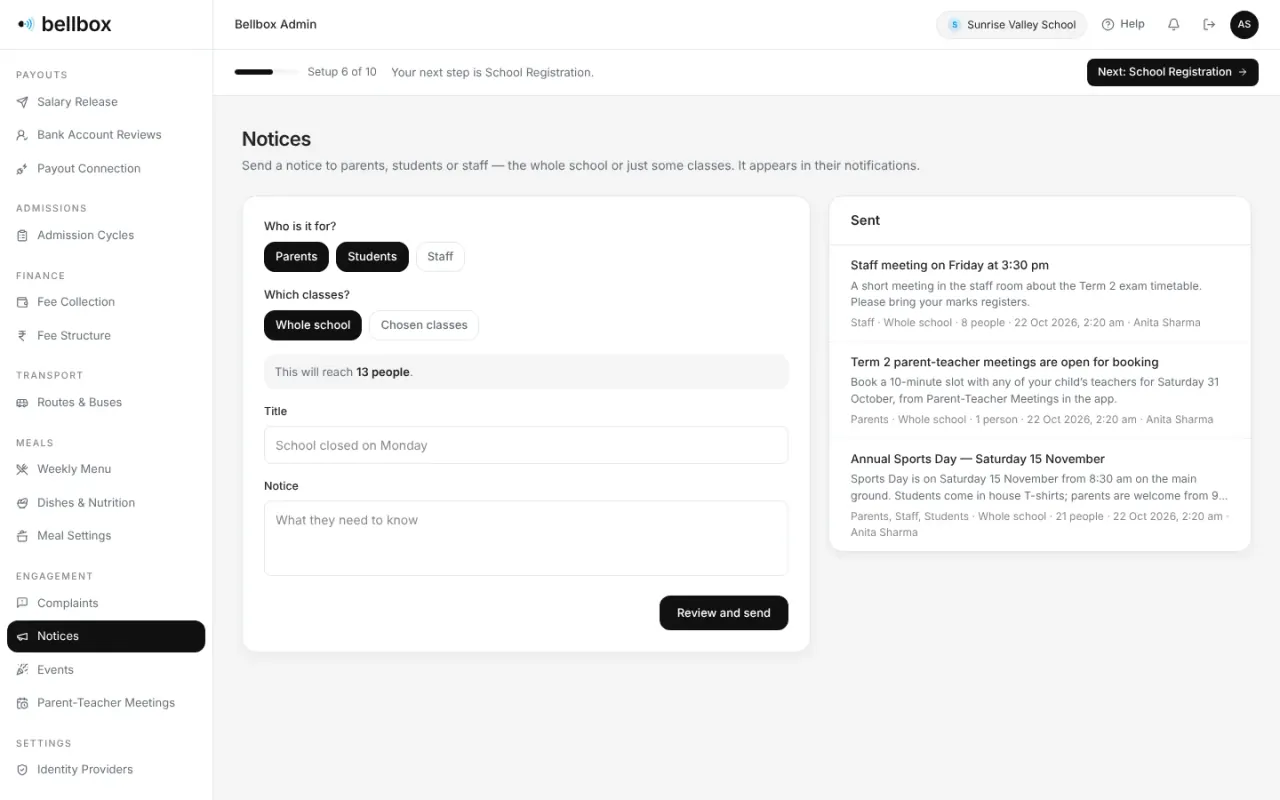
Write once to parents, students or staff, the whole school or chosen classes. The count of people it reaches updates as you choose.
16 · Parent-teacher meetings
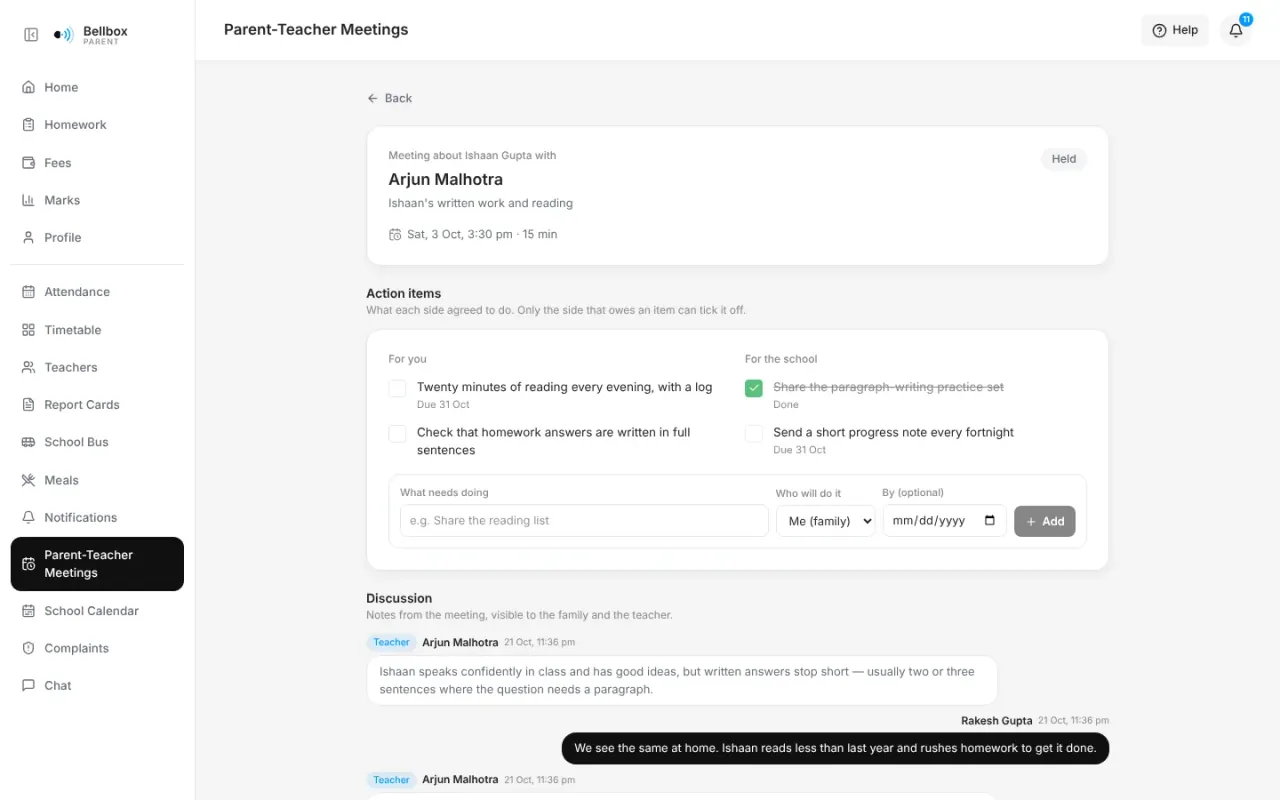
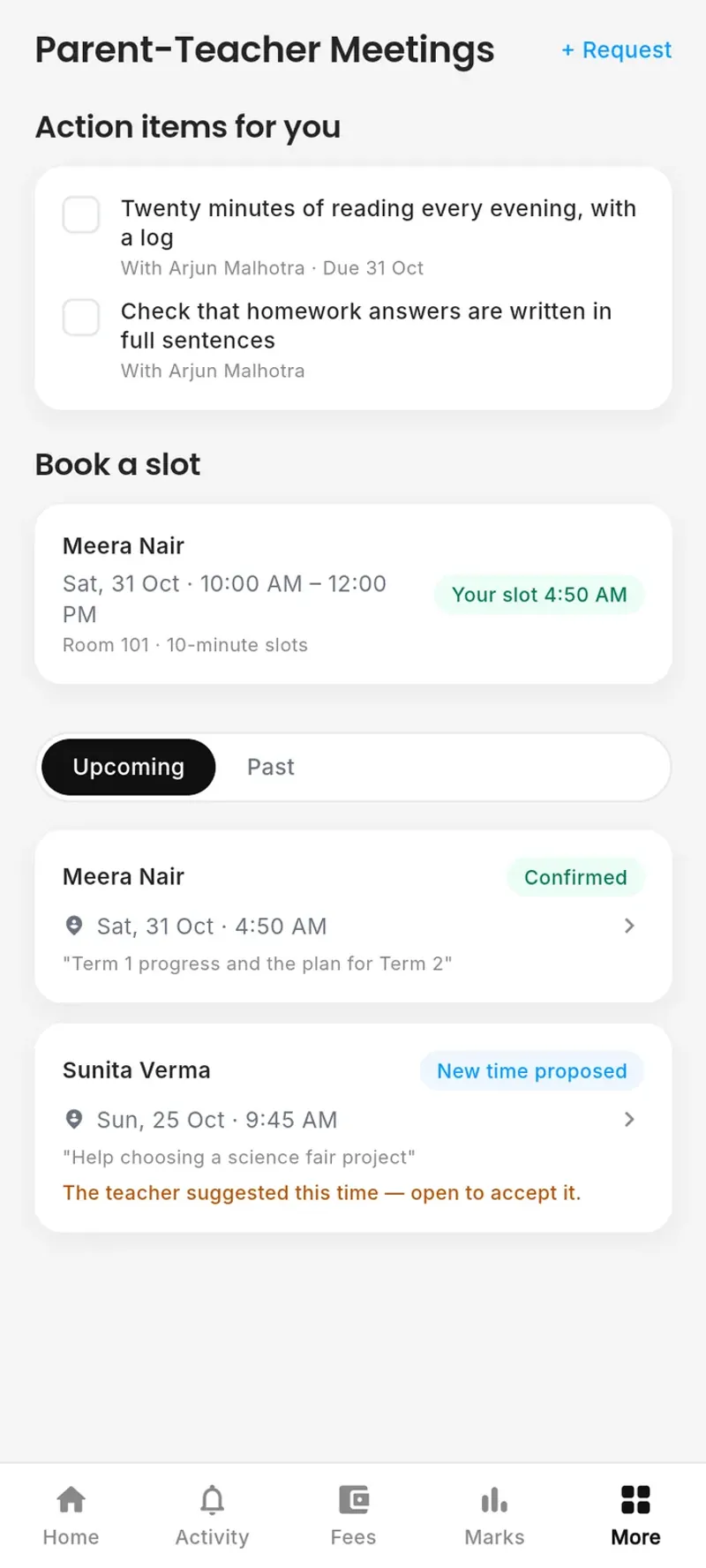
Teachers open booking windows and parents pick a slot, or ask for another time. Afterwards both sides keep the notes and the action items each agreed to, and tick off their own.
Book a demo and we will walk you through admissions, fees, academics and administration, using the way your school works today.